Microlife blood pressure cuffs offer a user-friendly way to monitor cardiovascular health at home․
Always carefully read the instruction manual before initial use to ensure accurate measurements and optimal device functionality․
Microlife provides various cuff sizes; selecting the correct size is crucial for reliable readings․
Proper cuff connection and understanding the device’s features are essential for effective blood pressure monitoring․
What is a Microlife Blood Pressure Cuff?
Microlife blood pressure cuffs are medical devices designed for non-invasive blood pressure measurement at home․ These cuffs, paired with a digital monitor, allow individuals to regularly track their systolic and diastolic blood pressure, providing valuable data for personal health management and sharing with healthcare professionals․
Microlife offers beginner-friendly models like the BP B2 Basic, emphasizing simplicity – attach the cuff, start the device, and measure․ They utilize oscillometric technology to determine blood pressure, and come with features like cuff size selection to ensure accuracy․ Using only Microlife cuffs is recommended․
Importance of Reading the Manual
Reading the manual before using your Microlife blood pressure cuff is paramount for accurate results and device longevity․ The manual details proper cuff connection, ensuring the connector is fully inserted into the socket․ It explains the significance of selecting the correct cuff size, matching it to your upper arm’s circumference using the markings on the cuff․
Understanding the device’s buttons, display, and potential error messages is crucial․ The manual outlines safety precautions, contraindications, and when to consult a doctor, maximizing the benefits of home blood pressure monitoring․

Understanding the Components
Microlife cuffs consist of a cuff, connector, and socket for device attachment․ The device features an ON/OFF button and a display for viewing blood pressure readings․
Cuff Connector and Socket
The cuff connector, a vital component, securely links the cuff to the Microlife blood pressure monitor․ Ensure the connector is fully inserted into the cuff socket – typically labeled as number 3 – until it clicks or reaches its stopping point․
Proper connection is paramount for accurate measurements; a loose connection can lead to erroneous readings․ Only use Microlife cuffs, as compatibility with other brands isn’t guaranteed and may damage the device or provide inaccurate results․ Inspect both the connector and socket for any damage before each use․
Cuff Size Selection
Selecting the correct cuff size is critical for accurate blood pressure readings․ Microlife offers different cuff sizes to accommodate varying arm circumferences․ Measure your upper arm’s circumference and match it to the sizing guide marked on the cuff itself․
Using the wrong cuff size – too small or too large – can significantly distort results․ A cuff that’s too small will give falsely high readings, while one that’s too large will yield falsely low readings․ Always prioritize using the appropriately sized cuff for reliable monitoring․
Device Overview: Buttons and Display
The Microlife device features a simple, intuitive design․ The ON/OFF button initiates and stops measurements․ The display clearly shows systolic and diastolic blood pressure values, pulse rate, and measurement date/time․
Additional buttons may include a memory recall button to access previous readings and a start/stop button for manual control․ Familiarize yourself with each button’s function for seamless operation․ The display’s indicators provide vital information regarding measurement status and potential errors․
Preparing for Measurement
Ensure a calm environment and proper body positioning before taking a reading; Sit comfortably with your back supported and feet flat on the floor․
Correct cuff placement on the upper arm is vital for accuracy, and selecting the appropriate cuff size is equally important․
Proper Body Positioning
To achieve accurate blood pressure readings, maintain a relaxed and comfortable posture․ Sit upright in a chair with back support, ensuring your feet are flat on the floor and not crossed․
Avoid talking or engaging in any activity during the measurement process, as this can artificially elevate your blood pressure․ Rest your arm on a flat surface, supported at heart level․
Ensure your arm is relaxed and not tense, and that clothing does not constrict the upper arm where the cuff will be placed․ A few minutes of quiet rest before measurement is also recommended․
Correct Cuff Placement on the Upper Arm
Position the cuff on your bare upper arm, approximately one inch (2-3 cm) above the elbow․ The lower edge of the cuff should be positioned above the brachial artery․
Ensure the cuff is snug but not too tight, allowing space for one or two fingertips to slide underneath the edge․ The artery mark on the cuff should align with the brachial artery on the inner side of your elbow․
Avoid placing the cuff over clothing, as this can affect the accuracy of the reading․ Secure the cuff firmly, ensuring it doesn’t slip during inflation․
Choosing the Right Cuff Size
Microlife offers different cuff sizes to ensure accurate blood pressure measurements․ Select the cuff size that matches the circumference of your upper arm․ Use the markings on the cuff to determine the appropriate size range․
Incorrect cuff size can lead to inaccurate readings; a cuff that is too small will give falsely high results, while a cuff that is too large will give falsely low results․ Only use Microlife cuffs for compatibility․
Measure your arm circumference and consult the cuff size guide in the manual․
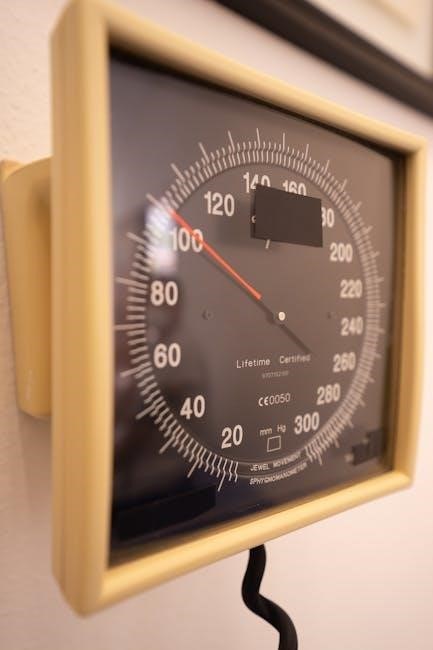
Taking a Blood Pressure Measurement
Connect the cuff securely to the device, ensuring a firm connection․ Start the measurement process by pressing the ON/OFF button, and remain still during inflation and deflation․
Connecting the Cuff
Properly connect the cuff to the device by firmly inserting the cuff connector into the cuff socket as far as it will go․ Ensure a secure connection to prevent inaccurate readings during measurement․
Using only Microlife cuffs is recommended for optimal performance and compatibility with the device․
Verify the connection before initiating the measurement process․ A loose connection can lead to measurement errors or prevent the cuff from inflating correctly․
Always double-check that the connector is fully seated within the socket for reliable blood pressure monitoring․
Starting the Measurement Process
Once the cuff is securely connected, press the ON/OFF button to initiate the measurement․ The cuff will automatically inflate to determine your blood pressure․
Remain still and quiet during the inflation and deflation phases for accurate results․ Avoid talking or moving during the measurement cycle․
The device will begin inflating the cuff, and you’ll feel pressure on your upper arm․
Allow the cuff to fully inflate and then slowly deflate while the device records your blood pressure readings․ The process is typically quick and straightforward․
Stopping the Measurement
You can halt the measurement at any point by pressing the ON/OFF button․ This is useful if you feel uncomfortable with the cuff pressure or need to interrupt the process for any reason․
Alternatively, the measurement will automatically stop once the cuff has fully deflated and the blood pressure readings are recorded․
After the measurement concludes, the systolic and diastolic values, along with the pulse rate, will be displayed on the device’s screen․
Review these readings carefully and record them for tracking purposes or to share with your healthcare provider․

Interpreting Your Results
Understanding systolic and diastolic values is key to assessing your blood pressure․ The higher value dictates evaluation; for example, 150/85 or 120/98 are notable․
Understanding Systolic and Diastolic Values
Systolic pressure represents the force against your artery walls when your heart beats, while diastolic pressure measures the force when your heart rests between beats․
These two numbers are recorded as systolic/diastolic, measured in millimeters of mercury (mmHg)․ For instance, a reading of 120/80 mmHg indicates a systolic pressure of 120 mmHg and a diastolic pressure of 80 mmHg․
Both values are vital for a complete assessment of your cardiovascular health․ Understanding these measurements allows you to track changes and discuss them with your healthcare provider․
What is Considered High Blood Pressure?
High blood pressure, or hypertension, is generally defined as readings consistently at or above 130/80 mmHg․ However, guidelines can vary, so consult your doctor for personalized targets․
Blood pressure categories include elevated (120-129/less than 80), Stage 1 hypertension (130-139/80-89), and Stage 2 (140+/90+)․
Regular monitoring with your Microlife cuff helps identify potential issues․ Remember, a single high reading doesn’t necessarily mean you have hypertension; consistent elevation is key․
The Higher Value Determines Evaluation
When assessing blood pressure readings from your Microlife device, the higher of the two numbers – systolic or diastolic – dictates the blood pressure category․ For example, a reading of 150/85 mmHg is categorized based on the 150 (systolic) value․
Even if the diastolic reading is within the normal range, the elevated systolic reading indicates hypertension․ This principle applies to all blood pressure classifications, ensuring accurate evaluation and appropriate medical attention if needed․

Troubleshooting Common Issues
Microlife devices may display error messages or provide inconsistent readings․ Ensure proper cuff placement and connection; consult the manual for specific error code meanings and solutions․
Error Messages and Their Meanings
Microlife blood pressure cuffs utilize error messages to indicate potential issues during measurement․ Understanding these codes is vital for accurate monitoring․ For instance, an error might signal movement during inflation, requiring a repeat measurement with stillness․
Other codes could indicate a cuff not properly connected, or internal device malfunctions․ The manual details each error’s specific meaning and recommended troubleshooting steps․ Ignoring these messages can lead to inaccurate readings, potentially impacting health management․ Always refer to the manual for a comprehensive list and solutions․
Cuff Not Inflating Properly
If the Microlife cuff fails to inflate, first ensure the cuff connector is firmly and completely inserted into the device socket․ Check for any kinks or twists in the tubing, as these can obstruct airflow․ Verify the cuff isn’t damaged or leaking air․
Also, confirm the batteries are correctly installed and have sufficient charge․ If the problem persists, try a different set of batteries․ A loose connection or faulty pump within the device may require professional servicing or replacement, as detailed in the manual․
Inconsistent Readings
Inconsistent blood pressure readings can occur due to several factors․ Ensure proper body positioning and cuff placement, following the manual’s guidelines precisely․ Avoid caffeine, exercise, and smoking for at least 30 minutes before measurement․ Take multiple readings, spaced a few minutes apart, and average the results․
External factors like movement or talking during measurement can also cause variations․ If inconsistencies persist, consult your doctor to rule out underlying medical conditions or device malfunction․ Regularly calibrate the device, if applicable, as per the manual․

Cuff Care and Maintenance
Regularly clean the cuff with a damp cloth and mild detergent․ Store the cuff in a cool, dry place, avoiding direct sunlight․ Replace the cuff when damaged or worn․
Cleaning the Cuff
To ensure accurate readings and prolong the life of your Microlife blood pressure cuff, regular cleaning is essential․ Gently wipe the cuff’s exterior with a slightly damp cloth․ Avoid using harsh chemicals, abrasive cleaners, or excessive water, as these can damage the cuff material․
If necessary, a mild detergent can be used, but ensure it is thoroughly rinsed away with a clean, damp cloth․ Do not immerse the cuff in water․ Allow the cuff to air dry completely before storing or using it․ Proper cleaning helps prevent the buildup of dirt and oils that could affect performance․
Storing the Cuff
Proper storage of your Microlife blood pressure cuff is vital for maintaining its accuracy and extending its lifespan․ Store the cuff in a cool, dry place, away from direct sunlight and extreme temperatures․ Avoid storing it in humid environments, as moisture can damage the internal components․
Do not store the cuff with sharp objects that could puncture or tear the material․ When not in use, loosely roll or fold the cuff to prevent creases; Ensure the cuff and connecting tube are not excessively bent or twisted during storage, preserving its functionality․
Cuff Lifespan and Replacement
The lifespan of a Microlife blood pressure cuff depends on usage and care, but generally, it should be replaced every 2-3 years․ Regular inspection for cracks, wear, or damage to the cuff bladder is crucial․ A damaged cuff can lead to inaccurate readings, compromising your health monitoring․
If you notice any signs of deterioration, or if the cuff consistently fails to inflate properly, it’s time for a replacement․ Using only genuine Microlife replacement cuffs ensures compatibility and maintains the accuracy of your blood pressure measurements․ Prioritize cuff health for reliable results․
Advanced Features (If Applicable)
Some Microlife models feature memory storage for tracking readings, irregular heartbeat detection, and average value calculations for comprehensive health insights․
These features aid in monitoring trends and providing a more detailed overview of your cardiovascular health over time․
Memory Function and Data Storage
Many Microlife blood pressure cuffs are equipped with a memory function, allowing the device to store previous measurement results for convenient tracking․ This feature is incredibly useful for monitoring blood pressure trends over days, weeks, or even months․
Stored data typically includes the date and time of each measurement, along with the systolic and diastolic values․ Some models allow you to review the average of all stored readings, providing a broader picture of your cardiovascular health․ The capacity of the memory varies depending on the specific model, but it generally stores a significant number of readings․
Reviewing this historical data can be valuable when discussing your blood pressure management with your healthcare provider․
Irregular Heartbeat Detection
Certain Microlife blood pressure monitors feature an irregular heartbeat (IHB) detection function․ During a measurement, the device analyzes your pulse for inconsistencies that may indicate an irregular rhythm, such as atrial fibrillation․
If an irregular heartbeat is detected, the monitor will display an IHB symbol alongside your blood pressure readings․ It’s important to note that the IHB detection feature is not a substitute for a professional medical diagnosis․
If you consistently observe the IHB symbol, consult your doctor for a thorough evaluation of your heart rhythm and overall cardiovascular health․
Average Value Calculation
Many Microlife blood pressure cuffs automatically calculate and store average readings over a specified period, typically the last three measurements or a longer timeframe․ This feature helps track blood pressure trends and provides a more comprehensive view of your cardiovascular health than single readings․
The average value is computed by summing the recorded measurements and dividing by the number of readings taken․ Regularly reviewing these averages can assist in identifying potential fluctuations and informing discussions with your healthcare provider․
Refer to your device’s manual for specific instructions on accessing and interpreting the average value function․

Safety Precautions
Always consult a doctor if you have questions about your readings or health․ Avoid using the cuff on injured arms or near interfering medical devices․
Contraindications exist; review the manual for specific warnings before use to ensure safe and accurate blood pressure monitoring․
Contraindications for Use
It is crucial to understand when Microlife blood pressure cuff use is not recommended․ Do not use the device on arms with vascular access, injuries, or undergoing medical procedures․
Individuals with acute cardiovascular issues, such as unstable angina or recent heart attack, should consult their physician before self-monitoring․ The cuff is not intended for continuous monitoring during surgery or intensive care settings․
Furthermore, avoid use if you experience significant discomfort or pain during inflation․ Always prioritize professional medical advice when dealing with serious health concerns․ Review the full manual for a comprehensive list of contraindications․
Avoiding Interference with Other Devices
To ensure accurate readings with your Microlife blood pressure cuff, minimize potential interference from other electronic devices․ Keep the cuff away from strong electromagnetic fields, such as those emitted by microwave ovens or large speakers․
Simultaneous use of other medical equipment, like high-frequency surgical units, may affect measurement accuracy․ Maintain a safe distance from these devices during blood pressure monitoring․
Cell phones can also cause interference; avoid using your phone directly next to the cuff during operation․ Proper device placement and awareness of surrounding electronics are key to reliable results․
When to Consult a Doctor
Regular blood pressure monitoring with your Microlife cuff is valuable, but it doesn’t replace professional medical advice․ Consult your doctor if you consistently experience unusually high or low readings, even when following the manual’s instructions․
Seek medical attention immediately if you experience symptoms like severe headaches, dizziness, blurred vision, or chest pain alongside elevated blood pressure․
Discuss any concerns about your readings or the cuff’s operation with your healthcare provider․ They can provide personalized guidance and ensure accurate diagnosis and treatment․
Frequently Asked Questions (FAQ)
Using a different cuff may compromise accuracy; only Microlife cuffs are recommended․ Measure blood pressure regularly, as advised by your doctor, for effective health monitoring․
Can I use a different cuff with my Microlife device?
It is strongly recommended to use only Microlife cuffs with your blood pressure device․ Utilizing cuffs from other manufacturers can significantly impact the accuracy of your readings․ Microlife cuffs are specifically designed and tested to work optimally with their devices, ensuring reliable and consistent measurements․
Different cuffs may have varying bladder sizes and materials, which can affect inflation and deflation characteristics․ This discrepancy can lead to inaccurate blood pressure values, potentially compromising your health monitoring efforts․ Always prioritize using a compatible Microlife cuff for the most dependable results․
How often should I measure my blood pressure?
The frequency of blood pressure measurements depends on your individual needs and your doctor’s recommendations․ Generally, for routine monitoring, measuring once a day is sufficient․ If you’ve been diagnosed with hypertension or are adjusting medication, your doctor may advise more frequent measurements – perhaps twice daily, morning and evening․
Consistent timing is key․ Take measurements at the same time each day to establish a baseline and track changes effectively․ Avoid measuring immediately after exercise, caffeine consumption, or smoking․ Regular monitoring empowers you to understand your blood pressure trends and collaborate effectively with your healthcare provider․